Rearview and side mirrors
|
NOTICE
|
The rearview and side mirrors allow the driver to see what is happening behind them. Having properly adjusted mirrors is very important for safe driving.
Note: Objects in the passenger side mirror are closer than they appear.
Rearview mirror
The rearview mirror is placed on the overhead console and is adjusted manually.
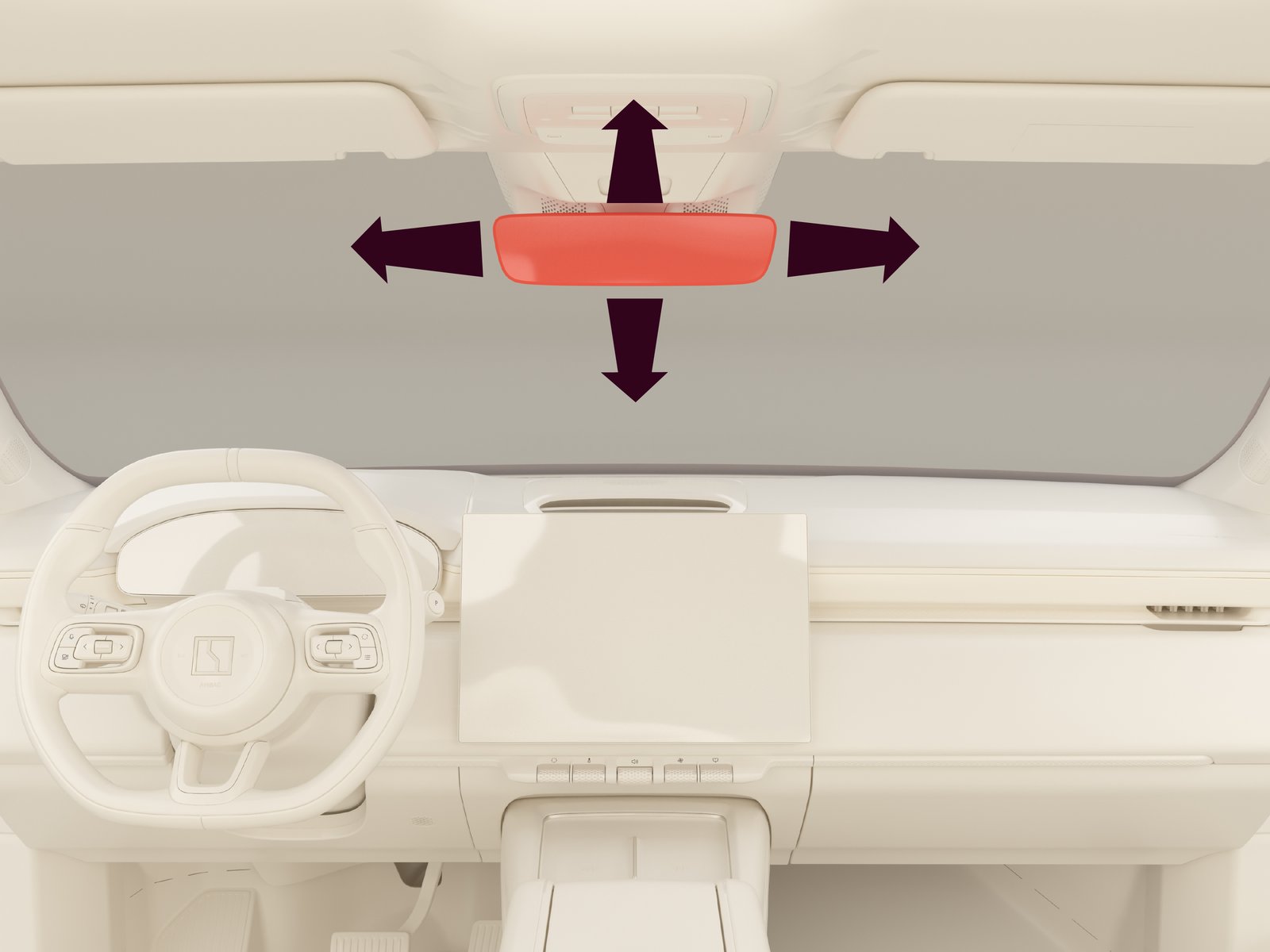
To adjust the rearview mirror, hold the outside edge of the mirror and adjust it to the appropriate position.
Automatic dimming
The rearview mirror is equipped with automatic dimming. This means that the mirror senses the lights of any vehicles behind the car and automatically dims the mirror so that the driver is not blinded by the lights. The function is only active when the  symbol is displayed.
symbol is displayed.
The automatic dimming of the rearview mirror is disabled in the following situations:
| • | The car is in R |
| • | The car is not in the driving power mode |
Side mirrors
The side mirrors are placed on the left and right side of the car. They are adjustable and their position, along with the head-up display and seating settings, can be saved to both a driver profile and the seat memory. For more information on position saving, see Driver profile and Seat position memory.
The side mirrors can automatically fold when locking the car, and automatically tilt when reversing.
To adjust the side mirrors:
| 1. |
Open the swipe-down menu.
|
| 2. |
Press Side mirrors position.
|
| 3. |
Select the Left or Right mirror.
|
| 4. |
Use the scroll wheel and the buttons on the right side of the steering wheel to adjust the side mirror.
|
or
| 1. |
Navigate to  . .
|
| 2. |
Select the Left or Right mirror.
|
| 3. |
Use the scroll wheel and the buttons on the right side of the steering wheel to adjust the side mirror.
|
To activate/deactivate automatic tilt when reversing or automatic folding of the mirrors when locking the car:
| 1. |
Navigate to or .
|
| 2. |
Select Autotilt when reversing/Autofold when locking.
|
Side mirrors defog/defrost
The side mirrors defog/defrost function is used to remove mist and ice from the side mirrors. It is activated together with the rear windshield defog/defrost function.
If side mirrors auto heating is enabled, the defog/defrost function automatically activates when:
| • | Defrost is activated through the Zeekr app. |
| • | The car is unlocked while the temperature is below 7°C. |
| • | The rear window wiper is active for more than 60 seconds. |
| • | The car is ready to drive for the first time since being unlocked. |
To enable/disable side mirrors auto heating:
| 1. |
Navigate to .
|
| 2. |
ToggleAuto heating on/off.
|
Note: The side mirrors are hot when defog/defrost is active. Do not touch the mirrors while they are heated.
Automatic dimming
The driver side mirror is equipped with automatic dimming. This means that the mirror senses the lights of any vehicles behind the car and automatically dims the mirror so that the driver is not blinded by the lights. The function is only active when the symbol is displayed.
symbol is displayed.
The automatic dimming of the rearview mirror is disabled in the following situations:
| • | The car is in R |
| • | The car is not in the driving power mode |