Symbols and messages
When the car is started, the system goes through a self-check diagnostic program. Some indicators and warning lights activate during this time, but they turn off again when the car is ready for use. If a symbol that indicates a fault remains on, contact a Zeekr Hi-Tech Service Center or an approved service partner.
Be aware that symbols might vary based on car configuration and software version. Indicators, warning lights, and messages are displayed on the driver display. Some messages are accompanied by an audible signal.
Note: Depending on if the manual is read in light or dark mode, the symbols or parts of symbols that are white in the driver display might be shown as black in the manual.
Indicator symbols
| Symbol | Function | Description |


|
Direction indicators | This symbol blinks when the indicator lights are operated. The left or right arrow symbol will blink continuously to indicate that the left or right indicator lights are activated. |


|
One-pedal status | This symbol is displayed in grey when the function is enabled but not activated. When it is both enabled and activated, the symbol is green. |

|
Ready | This symbol is displayed when the car is ready to drive, ignition on and in Drive (D) or Reserse (R). |

|
Low beam | This symbol is displayed when the low beam is activated. |
|
High beam | This symbol is displayed when the high beam is activated. |

|
Adaptive driving beam | When adaptive driving beam is activated, the green symbol is displayed. When the function activates the high beams, the blue symbol is displayed. |


|
Adaptive headlights | This symbol is displayed in green when the function is active, and the headlights adjust according to current road conditions. The symbol is displayed in yellow if there is a fault with the function. |
|
Rear fog light | This symbol is displayed when the rear fog light is activated. |

|
Position lights | This symbol is displayed when the position lights are activated. |
|
Parking emergency brake | This symbol is displayed in green when the function is enabled. When it is disabled, the symbol is displayed in yellow. |
|
Auto hold | This symbol is displayed when the function is activated. |
|
Electronic stability control disabled | This symbol is displayed when the function is disabled. |


|
Child lock | The left or right symbol is displayed when the matching child lock is enabled. |

|
Hill descent control | This symbol is displayed in grey when the function is enabled but not activated. When it is both enabled and activated, the symbol is green. |

|
Hill descent control disabled | This symbol is displayed if the function is disabled, for example due to overheated brakes. |
|
Lane keep assist system disabled | This symbol is displayed if the function is disabled. |
|
External charging connection | This symbol is displayed when a charging cable is connected to the car. |

|
High voltage battery low | This symbol is displayed if the high voltage battery is close to being discharged. |

|
Power limit | This symbol is displayed if car power is limited. |

|
Electric parking brake | This symbol is displayed when the electric parking brake is in use. |
Warning symbols
If a warning symbol stays on after the self-check diagnostics, or if a warning symbol appears and stays on while driving, it indicates that either an important function has been disabled, or that a serious fault occurs.
If a warning symbol is activated while driving, immediately stop the car in a safe location and assess the situation. If assistance is needed, contact a Zeekr Hi-Tech Service Center or an approved service partner.
| Symbol | Function | Description |

|
Power system fault | This symbol is displayed if a fault occurs with a power system component, including high or low battery temperature. It can be accompanied by instructions on the driver display. |
|
12V battery charging fault | This symbol is displayed if a fault occurs with the 12V charging system. |
|
Electronic stability control | This symbol is displayed continously if a fault occurs with the function. When the function is active, such as when the car detects loss of traction on one or more wheels, the symbol is flashing. |
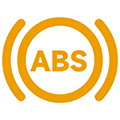
|
Anti-lock brake system fault | This symbol is displayed if a fault occurs with the function. |


|
Steering system fault | This symbol is displayed in yellow if the power steering performance is reduced or missing. It is displayed in red if there is a fault with the steering system. |

|
Adaptive driving beam fault | This symbol is displayed if a fault occurs with the adaptive driving beam. |

|
High beam fault | This symbol is displayed if a fault occurs with the high beam. |

|
Low beam fault | This symbol is displayed if a fault occurs with the low beam. |
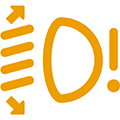
|
Lamp height adjustment fault | This symbol is displayed if the lamp height cannot be adjusted. |

|
Position light fault | This symbol is displayed if a fault occurs with the position lights. |
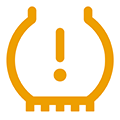
|
Tire pressure monitoring system fault | This symbol is displayed if tire pressure is low in one or more tires. It is also displayed if a fault occurs with the tire pressure monitoring system itself. |


|
Brake system fault | This symbol is displayed in yellow if a general fault occurs with the brake system, reducing brake effectiveness. It is displayed in red if brake fluid level is low, if a fault occurs with the brake fluid sensor, or if a fault occurs with electronic brake force distribution. |
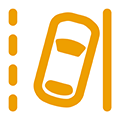
|
Lane keep assist system fault | This symbol is displayed if a fault occurs with the function. |

|
Collision mitigation support front fault | This symbol is displayed if a fault occurs with the function. |
|
Automatic lane change assist fault | This symbol is displayed if a fault occurs with the function. |

|
Traffic sign information fault | This symbol is displayed if a fault occurs with the function. |

|
Highway assist fault | This symbol is displayed if a fault occurs with the function. |

|
Seat belt reminder | This symbol is displayed if the driver or a passenger seat belt is unfastened. If the light is on and the seat belts are fastened, it indicates a fault with the seat belt system. |

|
Airbag fault | This symbol is displayed if a fault occurs with the airbag system or the pre-tensioner system. |

|
Front passenger airbag off | This symbol is displayed when the front passenger airbag is disabled, and a child seat can be used in front passenger seat. If an adult is going to sit there, without a child seat, reactivate the airbag. |
|
Front passenger airbag on | This symbol is displayed when the front passenger airbag is enabled to indicate that you must not place a child seat in the front passenger seat. |
|
Acoustic vehicle alerting system fault | This symbol is displayed if a fault occurs with the function. |

|
Life presence detection fault | This symbol is displayed if a fault occurs with the function. |
Warning messages
Warning and malfunction messages appear in the driver display. Certain messages are accompanied by an audible signal and/or an illuminated symbol. Any faults should be taken care of before continuing to drive, so that the car can be driven safely with all functions working.
This section contains a list of messages, or parts of messages, that can appear on the driver display and a suggested solution or action to take when they appear. In the car, instead of <Function name>, the message displays which function has a fault.
| Warning message | Suggested solution |
| Service required | Contact Zeekr to have the car inspected as soon as possible. |
| Service urgent | A severe fault has occurred. Contact Zeekr to have the car inspected immediately. |
| Stop safely | A safety issue has occurred. Stop the car at a safe location and turn off the car. |
| Take over the car | A fault has occurred with the driver assistance system. Do not rely on the system. Take full control of the car. |
| Slow down | A system or component failure has occurred. Reduce speed. Contact Zeekr to have the car inspected as soon as possible. |
| <Function name> fault/failure/malfunction | A fault/failure/malfunction has occurred with the function. Certain functions may not work properly. Contact Zeekr. |
| <Function name> temporarily unavailable | Function(s) temporarily unavailable. Will reset while driving or after restarting the car. If the warning message remains, contact Zeekr. |
| <Function name> reduced | Stop in a safe place, turn off the power, and contact Zeekr to have the car inspected immediately. |
| Tire pressure low | One or more tires have lost pressure. Check the tires for puncture or damage. Reinflate or replace the affected tire(s) as soon as possible. |
| Fast pressure loss | One or more tires have lost pressure rapidly. Stop the car as soon as it is safe to do so. Check the tires for puncture or damage. Reinflate or replace the affected tire(s) as son as possible. |
| Tire temperature high | One or more tires are overheating. This could cause a blowout. Stop the car as soon as it is safe to do so and let the tires cool down before continuing. |
| Maintenance overdue | The date or mileage for the regular service interval has passed. The warranty could be affected if the service interval is not followed. Contact Zeekr to make a service appointment. |
| Parking brake cannot hold the car | A fault with the electric parking brake makes it unable to hold the car still. Use the foot brake to stop the car and keep it still. Contact Zeekr. |
| Coolant level low | Coolant level for the high voltage battery and motor is low. Systems may be overheated and damaged. Contact Zeekr to have the car inspected and the coolant refilled immediately. |
| HV Battery Thermal Runaway | The high voltage battery is critically overheated. Stop the car, exit the car, and call the emergency services immediately. |
Note: This is not an exhaustive list. Other warning messages may appear or be added in future software updates. If you are unsure about a message, symbol, or fault, or if you do not know how to proceed to take care of a fault, contact Zeekr.